
Client project templates for freelancers, from yes to handoff.

A workbook, seven message scripts, a brief template and a short guide for solo web, design and creative freelancers. Plain files you own. No platform to join.

$39 one-time, USD. No subscription.

Checkout is not open yet. This button opens your email app so you can ask to be told when it is. Nothing is charged and no order is placed.

MonsiKit sells the Client Delivery Kit for freelancers and micro-agencies of one to five people. It is not a CRM, billing tool or contract.

Riverside Bakery: website refresh

Status tracker, one project

Fictional example

  1. InquiryFit check passedDone
  2. BriefApprover agreed, exclusions listedDone
  3. QuoteFee 3,278.40Done
  4. AssetsAll items receivedDone
  5. Revisions2 of 2 rounds usedDone
  6. Scope change: online payment option12 h, extra fee 780.00Pending client decision
  7. Launch QA31 of 35 checks passedIn review
  8. Handoff0 of 19 tasksPending
Next actionSend handoff checklistFri
An invented project shown the way the kit's Status sheet and Scope-change log would track it.

What is in the binder

Five files, made from one set of formulas. These are renders of the real files in the download.

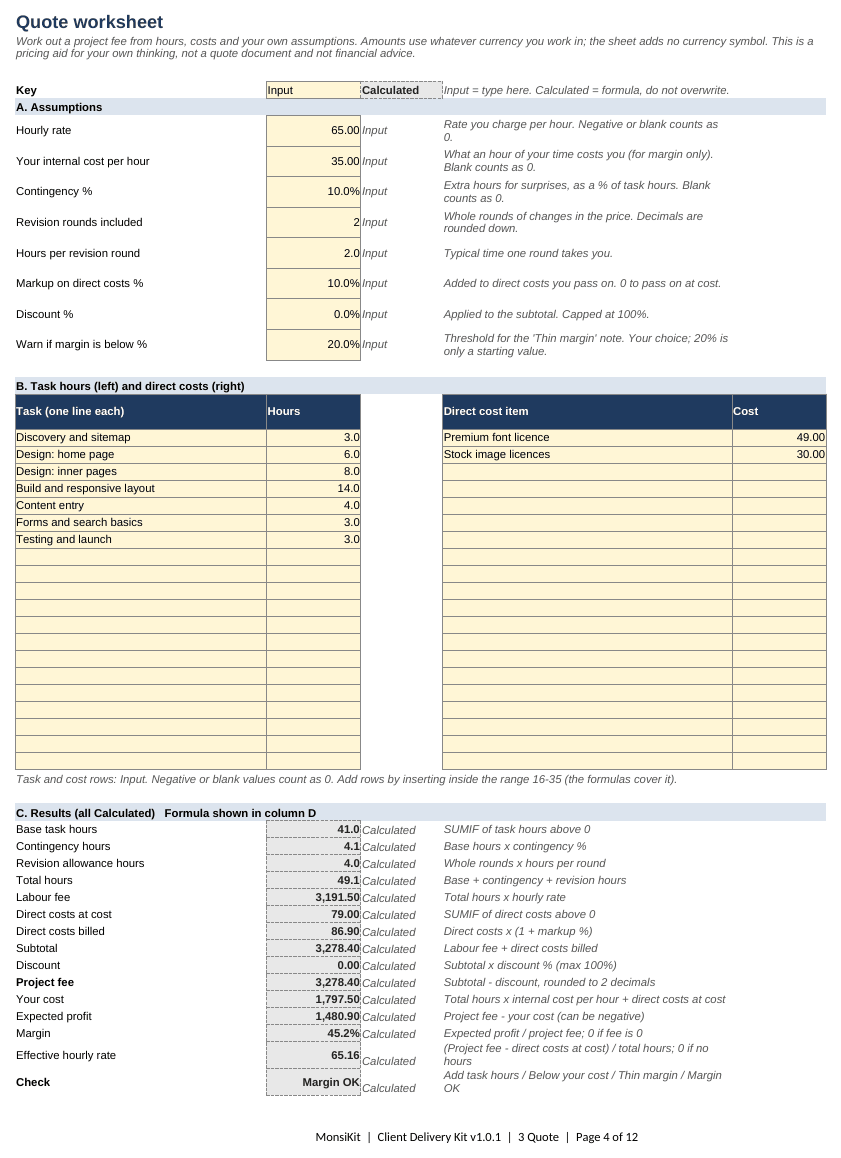
The Quote sheet of the workbook: assumptions, task hours, direct costs and calculated results for a fictional bakery website, ending in a project fee of 3,278.40.

Workbook, .xlsx

  • Nine working sheets and a Start here sheet, from inquiry to handoff.
  • Every quote formula is written out beside its result.
  • Input cells and Calculated cells are labelled, not only coloured.

Sheet by sheet

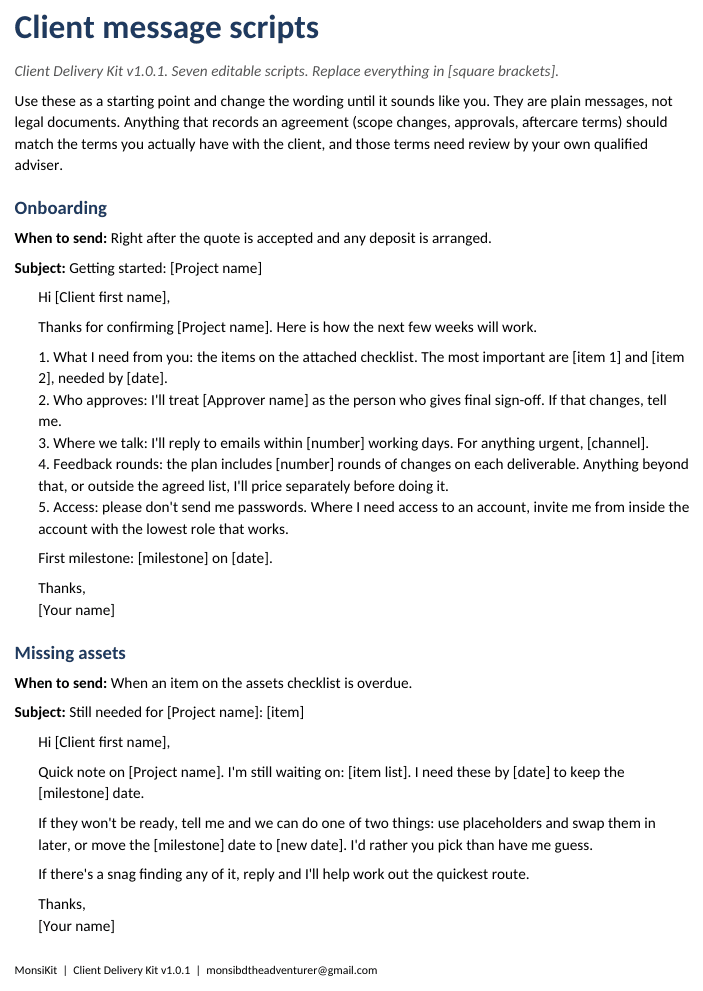
First page of the client message scripts document: the Onboarding script with a subject line, five numbered points and square-bracket placeholders.

Message scripts, .docx

  • Onboarding, missing assets, scope change, feedback request, approval, handoff and aftercare.
  • Plain wording with [square brackets] to fill in. Edit it until it sounds like you.
  • Each script says when to send it.
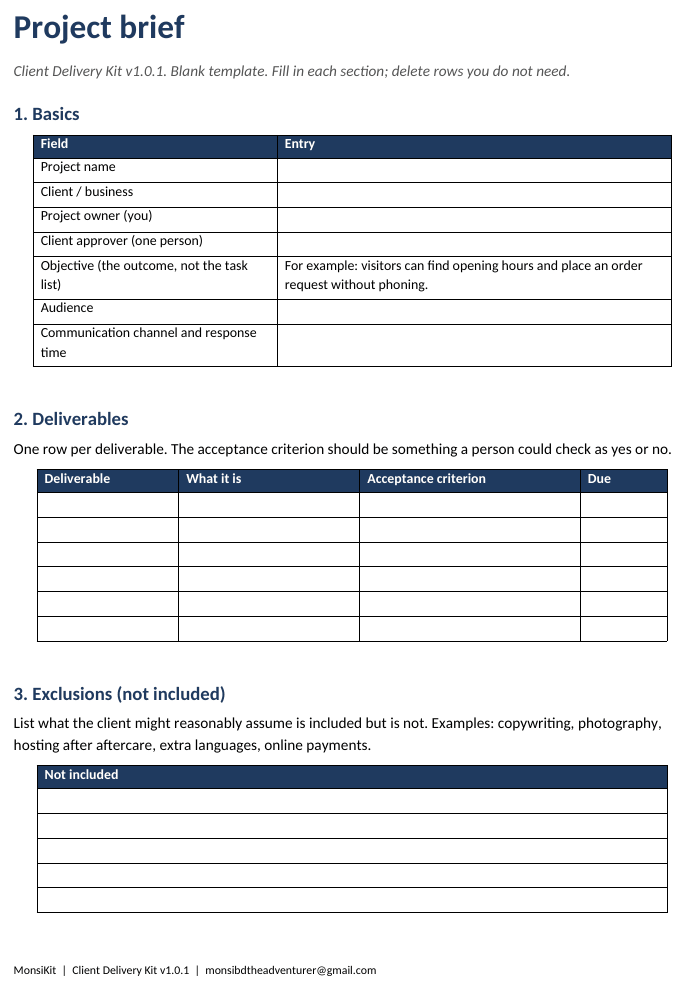
The project brief template: objective, audience and a deliverables table with acceptance criteria.

Brief template, .docx

  • Objective, audience, deliverables with checkable acceptance criteria.
  • Exclusions and key dates written down before work starts.
  • A blank copy to share with the client, matching the workbook's Brief sheet.
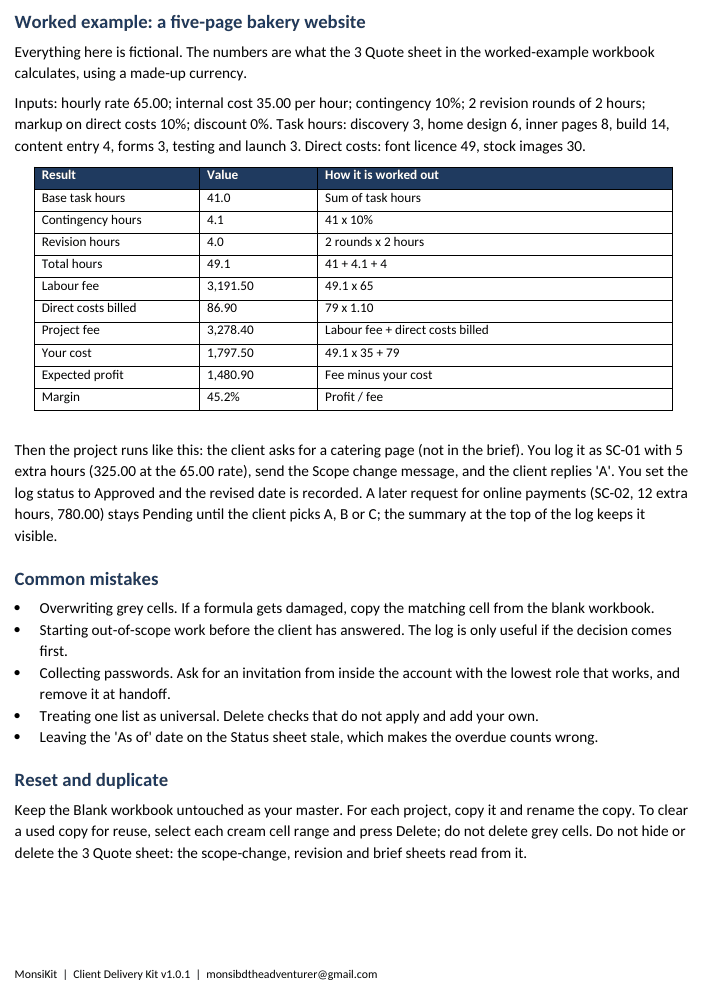
Quick-start guide page with the worked bakery example: a table of hours and fees and how each is calculated.

Quick-start guide, .pdf

  • Three pages: setup, workflow, common mistakes, how to reset.
  • A worked example that matches the workbook to the cent.
  • Opens in any PDF reader.

Read the same guide online

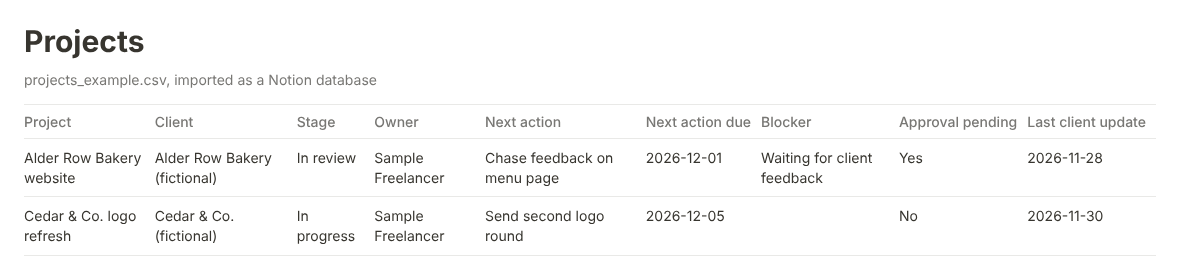
The example projects table from the Notion import files, with stage, owner, next action, blocker and last client update columns for two fictional projects.

Notion import files

  • Eight CSV databases, three Markdown pages and an import guide.
  • Not a one-click template: you import them and set Select and Date types yourself.
  • Optional. The Excel workbook is the main part.

Needs Excel or any app that opens .xlsx, plus Word or Google Docs for the .docx files.

The part of a project that usually lives in your head.

Quoting, onboarding, scope changes, revisions, client assets, launch checks and handoff, in one set of files.

See everything included

  • Inquiry and fit check

    Capture a lead and answer six questions before you spend time on a quote.

  • Project brief

    Objective, deliverables with acceptance criteria, exclusions and dates.

  • Quote worksheet

    Hours, contingency, revision allowance, direct costs and margin.

  • Scope-change log

    Out-of-scope requests stay visible as Pending until someone decides.

  • Assets checklist

    What you need from the client and what has arrived. It tells you never to collect passwords.

  • Status tracker

    Stage, next action, blocker and overdue counts for every live project.

  • Launch QA

    Thirty-five checks for websites and creative files, with Pass, Fail and N/A.

  • Handoff

    Nineteen tasks, ending with removing your own access so the client holds their accounts.

Buy once, open the files, start a project.

  1. Buy through the hosted checkout (Lemon Squeezy). It emails you the download.
  2. Unzip. Read the quick-start guide, then open the worked-example workbook.
  3. Copy the blank workbook for each project. Fill the Input cells; the Calculated cells do the rest.

No account, no login, no subscription, no app to install.

Try the free sample first: the quote worksheet and launch QA checklist, no email needed. Or read the guides on a client onboarding checklist and handling scope creep.

MonsiKit

Client Delivery Kit

Version 1.0.1

  • Blank workbook.xlsx
  • Worked-example workbook.xlsx
  • Seven message scripts.docx
  • Project brief template.docx
  • Quick-start guide.pdf
  • Notion import files.csv .md

Total, one time$39

USD. No subscription. Lemon Squeezy, the merchant of record, may add sales tax or VAT at checkout.

Licence: personal, single business. Edit the files for your own client work; do not resell or share them. Read the licence.

Checkout not open yet: email to be notified

Checkout is not open yet. This button opens your email app so you can ask to be told when it is. Nothing is charged and no order is placed.

What it will not do

Not for you if

  • You need a CRM or a billing platform. There is no invoice sheet.
  • You expect a legally drafted contract. The scripts and brief record intent; your own adviser should review any terms.
  • You expect a guaranteed result. The kit is a tool.

Full list

Who makes it

MonsiKit is a one-person project by Raian Mehrak Noor in Dhaka, Bangladesh. It will not send emails, sync a calendar or replace your invoicing.

This is a new product with no reviews yet, so there are none on this page. The files are plain templates you can inspect before you buy: the free sample is cut from the same workbook. More about who runs this.